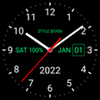
Highly readable digital clock with multiple display modes, spoken time announcements, and rich customization options
Highly readable digital clock with multiple display modes, spoken time announcements, and rich customization options
Vote (2 votes)
Program license Free
Developer StyleSeven.com
Version 7.32
Works under Android
Also known as Digital Clock Live Wallpaper-7
Vote
(2 votes)
Developer
StyleSeven.com
Works under
Android
Program license
Free
Version
7.32
Also known as
Digital Clock Live Wallpaper-7
Pros
- Very large, easy-to-read digits, suitable for distant viewing and weaker eyesight
- Multiple display modes including live wallpaper, widget with seconds, overlay clock, full-screen clock, and charging screensaver
- Spoken time announcements with optional custom text and double-tap voice hints
- Good visual customization with many fonts, color choice, and effects like glow, 3D, and shadow
- Supports various date formats, all system languages, and both portrait and landscape orientations up to 4K resolution
- Clock position and size can be adjusted in wallpaper, widget, and overlay modes
Cons
- Widget is bordered by a colored box with shaded unused areas, which can obscure the wallpaper
- Battery level is not shown in the widget mode
- Focus on simple, functional design may feel too plain for users seeking highly decorative clock themes
Digital Clock Live Wallpaper-7 is a versatile clock app for Android that can act as a live wallpaper, widget, overlay clock, full-screen display, and charging screensaver. It shows time, date, month, year, day of the week, and battery level (except in widget mode), so key information stays in view at a glance.
It suits users who want a very clear, large digital clock with minimal clutter, along with flexible placement options and spoken time announcements.
Readable Design With Extra-Large Digits
The strongest aspect of Digital Clock Live Wallpaper-7 is readability. The numbers can be made very large, which helps if you need to read the time from across the room or if small text is uncomfortable to see. The overall layout is intentionally simple, focusing on time first and putting additional details like date and day of the week in smaller text.
This stripped-back approach gives the app a clean, practical look. There are no visual distractions around the core clock, so it works well on an otherwise empty home screen or when you just want the time to stand out.
Many Ways to Display the Clock
Digital Clock Live Wallpaper-7 is not limited to one mode. The same clock engine can appear in several forms:
- As a live wallpaper, where you can adjust both the size and the exact position of the clock on the screen
- As an app widget, which offers its own settings and can show seconds
- As a topmost overlay clock that sits above other windows, with drag-and-drop positioning and resizable digits
- As a full-screen clock that can keep the display on continuously
- As an analog clock screensaver when the device is charging
This flexibility makes the app suitable for many everyday scenarios, from a large desk clock view to a small widget tucked into a corner of your home screen.
Talking Clock and Voice Reminders
Beyond visual display, Digital Clock Live Wallpaper-7 includes robust voice features. The app can announce the current time according to a schedule you define, and it can speak additional custom text as part of those notifications. That turns it into a kind of talking clock or simple voice reminder tool that can support both work tasks and leisure routines.
You can also get an instant voice hint of the current time by double tapping within the app window or on the live wallpaper. This is helpful when you cannot look directly at the screen but still need to know the time.
Customization of Style and Layout
For an app built around simplicity, there is a surprising amount of visual tuning available. You can choose from more than ten font styles, including digital, LCD, and pixel-inspired options. A primary color can be selected, and several visual effects such as glow, 3D styling, and shadows are available to give the numerals more presence.
Secondary information such as date and seconds has its own size control, so you can make that text more prominent or keep it subtle. Background customization is also supported, including the option to pick an image from your device’s gallery.
The app respects regional preferences by supporting both short and long date formats and works with all standard date and time formats and languages on Android devices. It adapts to both portrait and landscape orientations and is compatible with screen resolutions up to 4K.
Visual Limitations and Design Quirks
Although customization is broad, there are a few visual traits that may not suit everyone. In widget form, the clock sits inside a rectangular area that uses a solid color for the frame. Unused space in that rectangle can appear as a lighter shade of the same color, which partially overlays your wallpaper instead of leaving it completely clear. If you prefer a fully transparent style that shows only digits directly on top of your background, this boxed look may feel more intrusive than you would like.
Another small limitation is that battery information is not available in the widget, even though it is shown in other modes of the app. If you rely on the widget as your main clock, you will not see battery level there.
Mature Clock App With a Focus on Function
Digital Clock Live Wallpaper-7 has been available since 2013, and it presents itself as a well-established digital clock tool rather than a flashy theme pack. Its strengths are large, legible digits, multiple display modes, voice announcements, and extensive support for different formats and languages. The design choices lean toward utility and clarity, which will appeal to users who value function over decorative skins.
If you want a reliable, highly visible clock that can live on your wallpaper, as a widget, on top of other apps, or in full-screen, this app fits that role well. Those who are sensitive to background shading in widgets or who expect heavy visual ornamentation may find it less ideal, but for straightforward timekeeping with smart voice features, it stands out.
Pros
- Very large, easy-to-read digits, suitable for distant viewing and weaker eyesight
- Multiple display modes including live wallpaper, widget with seconds, overlay clock, full-screen clock, and charging screensaver
- Spoken time announcements with optional custom text and double-tap voice hints
- Good visual customization with many fonts, color choice, and effects like glow, 3D, and shadow
- Supports various date formats, all system languages, and both portrait and landscape orientations up to 4K resolution
- Clock position and size can be adjusted in wallpaper, widget, and overlay modes
Cons
- Widget is bordered by a colored box with shaded unused areas, which can obscure the wallpaper
- Battery level is not shown in the widget mode
- Focus on simple, functional design may feel too plain for users seeking highly decorative clock themes